Chapter 13
Making it yours
Write your own methods, edit events directly, and keep what you make.
Your own methods
Signal.prototype is shared by every pattern, LFO and string. Add a method and all of
them have it. Arguments stay patterns when you pass them on:
Signal.prototype.dub = function (feedback = 0.5) {
  return this.fx("Delay").param("Sync", "1/8.").param("Feedback", feedback)
    .fx("Reverb");
};

chords: note("<[c3,eb3,g3] [bb2,d3,f3]>").synth("Wavetable").dub("<0.3 0.7>")
  .postgain(1)
A method definition is setup: put it on its own line at column 0, or in the
prebake to have it everywhere. noteToMidi("c4"),
degreeToMidi(2, "c minor") and parseScaleName("f dorian") are there for
helpers that do their own music theory.
Strings: patterns or plain text
A string in double quotes or backticks, where a pattern goes, is mini-notation, and it lights up as it plays. A string in single quotes is plain text. Use single quotes for the strings your own code works on:
const degrees = [0, 3, 7, 10, 12, 10, 7, 3];
lead: n(degrees.join(' ')).scale("C minor").synth("FM").postgain(1)
With .join(" ") the separator would itself be a pattern, not a space. The same goes
for your own functions: chord("c3") hands chord a pattern, and
chord('c3') hands it the text.
For a whole block of helper code, switch mini-notation off and on again:
// mini-off
const chord = (root, ...steps) => note(
  steps.map((s) => noteToMidi(root) + s).join(","));
// mini-on

pad: chord('c3', 0, 4, 7, 11).synth("FM").postgain(0.7)
A mini-off with no mini-on runs to the end of the buffer.
Values: fmap
.fmap(fn) passes every value through your function and leaves the timing alone. The
value is what the pattern holds: a note, a degree, a pack name, a number.
// keep a wandering line inside one octave
Signal.prototype.fold = function (lo = 60, hi = 72) {
  const span = hi - lo;
  return this.fmap((m) => lo + ((((m - lo) % span) + span) % span));
};

lead: n(irand(24).seg(8)).scale("C minor").fold(60, 72).synth("Wavetable")
  .postgain(0.5)
Events: events
.events(fn) hands your function one cycle's events at a time and plays what it
returns. Each event is a plain object:
{ start, end, value, vel, clip, nudge, controls }
start and end are in cycles from the top of the song; controls
holds the sampler controls by name ({ speed: 2 }). Move them, stretch them, drop
them, copy them ({ ...e, start: e.start + 0.5 } keeps everything else), or make new
ones from start, end and value.
// a little looseness: timing and velocity
Signal.prototype.humanize = function (amount = 0.01) {
  return this.events((es) => es.map((e) => ({
    ...e,
    start: e.start + (Math.random() - 0.5) * amount,
    vel: e.vel * (0.8 + Math.random() * 0.2),
  })));
};

// lean on every nth note
Signal.prototype.accent = function (every = 4, by = 1.25) {
  return this.events((es) => es.map((e, i) => (i % every === 0 ? { ...e, vel: e.vel * by } : e)));
};

// spread a chord's notes out like a strummed guitar
Signal.prototype.strum = function (gap = 0.015) {
  return this.events((es) => {
    const seen = new Map();
    return es.map((e) => {
      const k = seen.get(e.start) ?? 0;
      seen.set(e.start, k + 1);
      return { ...e, start: e.start + k * gap };
    });
  });
};

chords: note("<[c3,eb3,g3,bb3] [ab2,c3,eb3,g3]> ~ ~ [bb2,d3,f3]")
  .strum().synth("Wavetable").postgain(0.4)
bass: note("c2 ~ eb2 ~ ~ g1 ~ bb1").synth("FM").postgain(0.4)
hats: s("hh*16").accent(4).humanize().postgain(0.4)
An event can move up to one cycle either way. Each cycle is worked out once and remembered, so
Math.random() gives one answer per cycle rather than a new one every time the cycle
is read.
Prebake
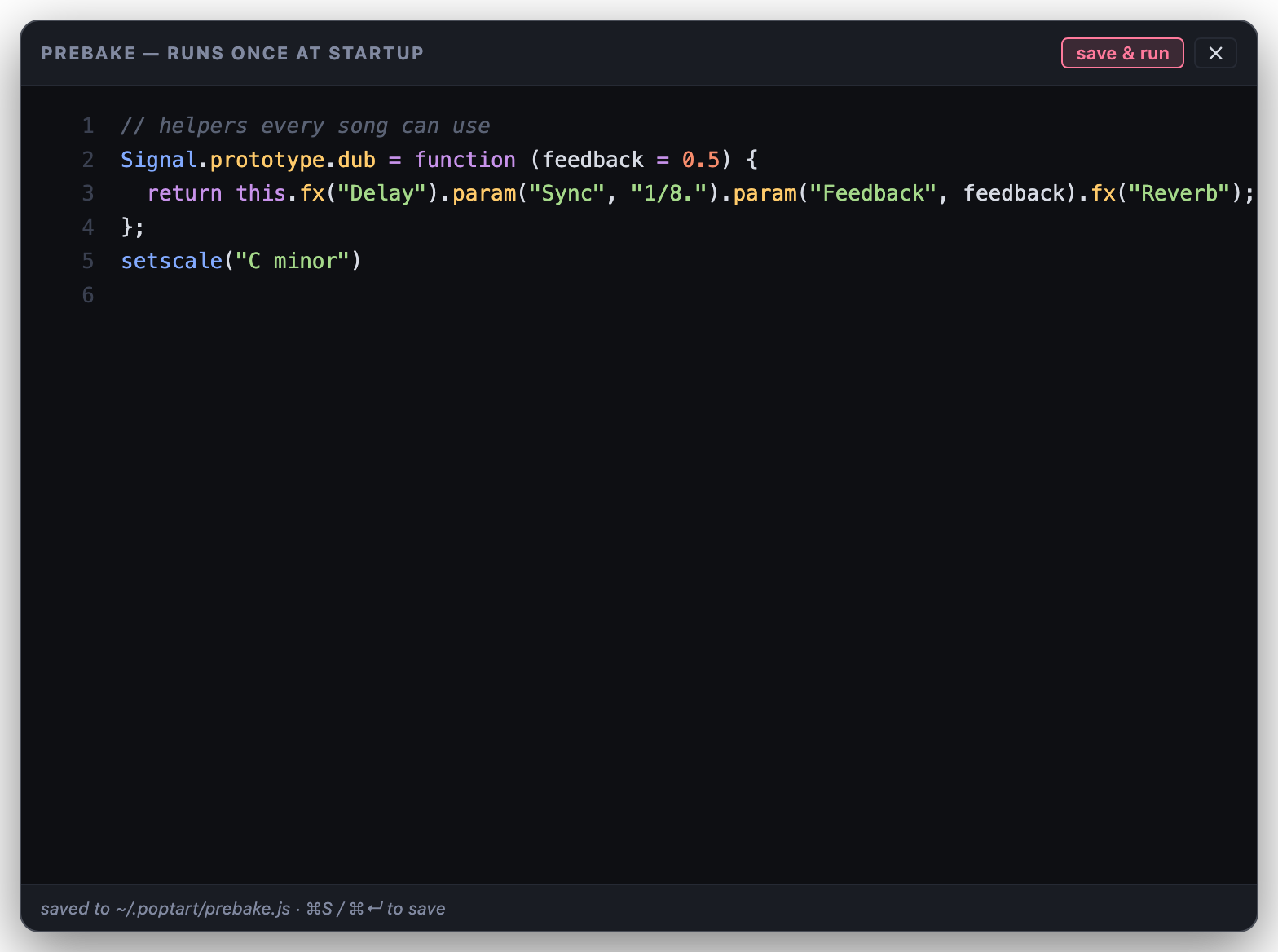
Setup you'd paste into every session (helpers, methods, your own scales) goes in the
prebake, run once at startup. Edit it from settings → edit prebake…;
saving runs it again.
It's ~/.poptart/prebake.js, and *.js files in ~/.poptart/prebake/ run after it, in name order.
It's kept in this browser, and the backup export carries it.
Its top-level names are in scope in every buffer.
★ The library
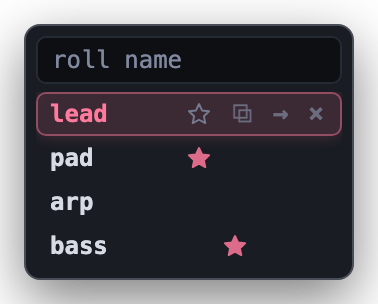
A drawn roll, an LFO shape, a preset or a pack belongs to the buffer it was made in. Click the
★ beside its name in any picker and it's copied into your library, and from then on
pianoroll("bass"), lfo("swell"), .preset("growl") or
sp("kit") works in every project. The buffer's own copy wins over the library's; the
star dims when they differ (click to update, shift-click to take it out).
Snippets
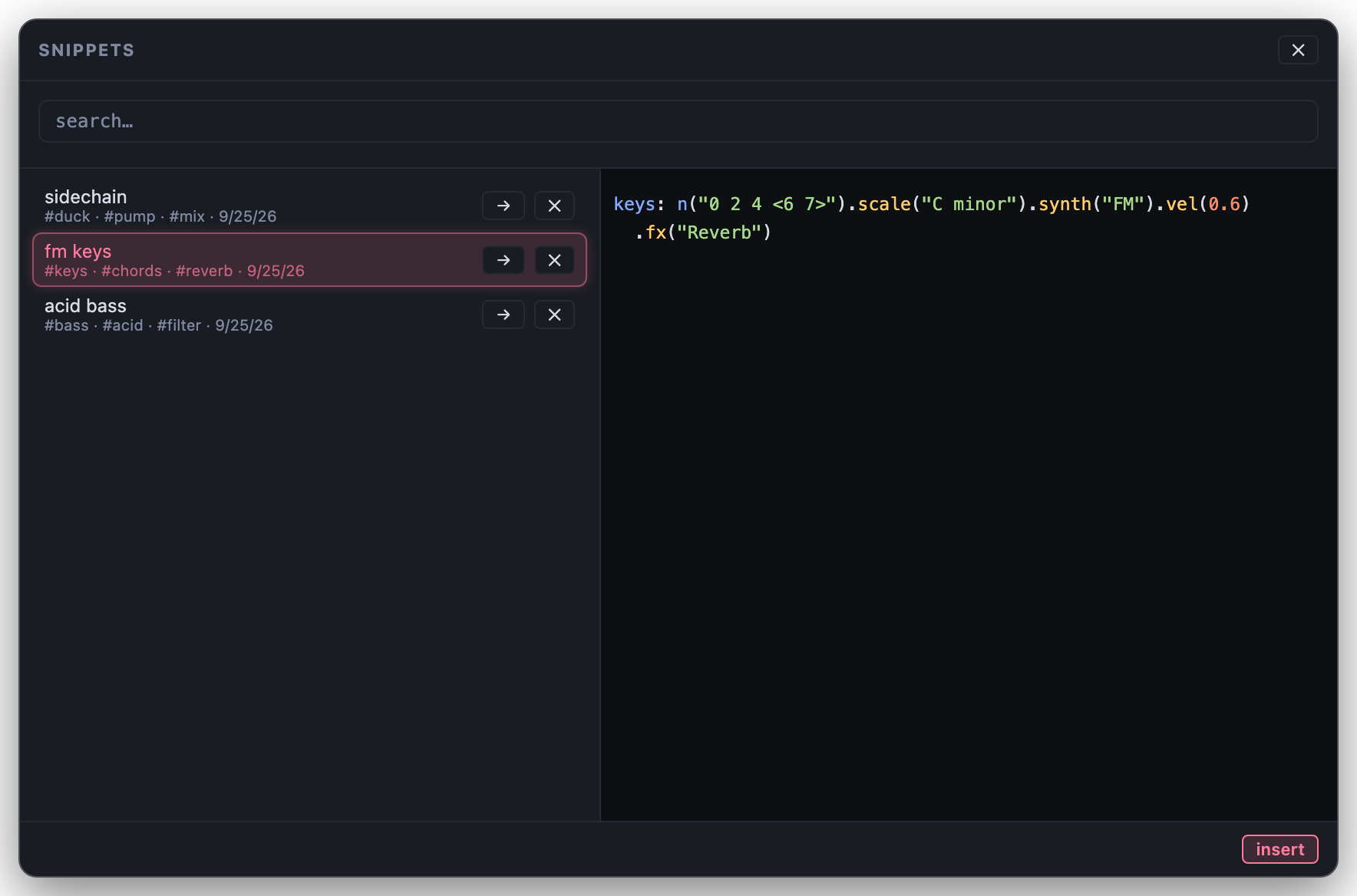
A snippet keeps a phrase, such as four lines of acid bass or a sidechain chain, with everything it needs. Select code and right-click → save as snippet…; the rolls, shapes, presets and packs it names are saved with it. Right-click with nothing selected (or {app+j}) to insert snippet…: hover to preview, click to pin, Enter or drag to put it in.
Definitions are settled on the way in: one your buffer already has is reused, and one that clashes
is renamed (bass → bass2), references and all.
A snippet is a plain file in ~/.poptart/snippets/.
Shift+right-click gets the browser's own menu.
Hotkeys and editor scripting
The prebake runs in the page too, so it can bind keys with hotkey(combo, fn) and edit
the code through editor (getSelection, replaceCode,
getCode, …):
// rotate the selected steps by one
hotkey("alt+r", () => {
  const { from, to, text } = editor.getSelection();
  editor.replaceCode(rotate(text.trim().split(/\s+/), 1).join(' '), from, to);
});
Combos join cmd/ctrl/alt/shift and one key with
+. mod is the editing modifier (cmd on a Mac, ctrl elsewhere) and
app is poptart's own (ctrl on a Mac, alt elsewhere). bjorklund,
rotate, clamp, prompt and log are on hand.
In DJ mode, editor is whichever deck you're typing in.